
Alight Motion
Alight MotionVideo Players & Editors
3.113.60K Reviews
- Version
- 5.0.273.1028425
- Installs
- 100.00M
- Age Rating
- Everyone
Screenshots
Our Review of Alight Motion
 Analysis by Appyee
Ever found yourself scrolling through social media, completely mesmerized by those slick animations and video edits? I sure have, and that’s exactly why I decided to dive into the world of Alight Motion. This app has been making waves, promising to bring professional-quality animation, motion graphics, and video editing right into the palm of your hand. So, I thought, why not see if it really lives up to the hype?
Getting Started with Alight Motion
First things first, downloading Alight Motion was a breeze. It's available on both Android and iOS, so no matter your device loyalty, you’re covered. Once installed, the app greets you with a clean, user-friendly interface. No overwhelming options or complicated menus, just a straightforward layout that even a beginner can navigate.
The app offers a quick tutorial to get you familiar with the tools. I appreciated this little gesture because, let's be real, jumping into a new app without guidance can be like trying to find your way in a city without a map.
Features that Make Alight Motion Stand Out
Now, let’s talk features. If you’re into video editing or animation, you know that features are everything. Alight Motion doesn’t skimp here. It offers a range of tools for creating everything from simple edits to complex animations.
- Multiple Layer Support: This is a biggie for me. The app allows you to add multiple layers for graphics, videos, and audio. It’s like having a mini professional editing suite right on your phone.
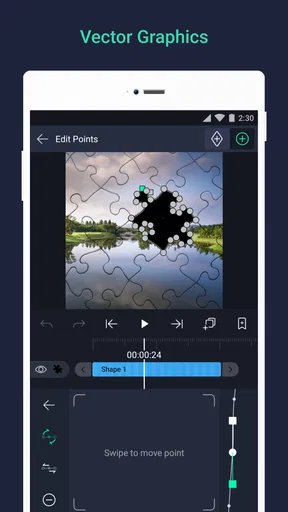
- Vector Graphics: Want to create crisp animations? The vector graphics support is a game-changer. It lets you scale graphics without losing quality, which is a must for high-quality animations.
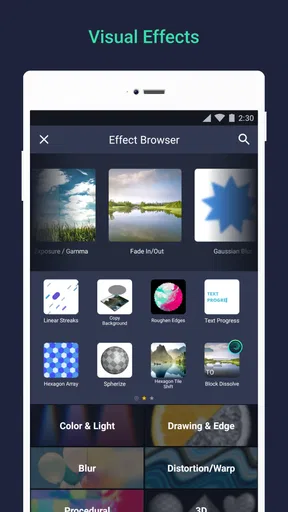
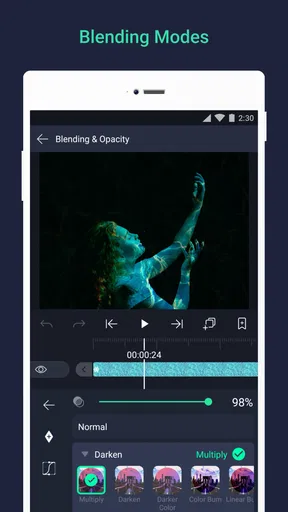
- Visual Effects: The array of visual effects available can transform a basic video into something truly eye-catching. From color correction to blur effects, the options are pretty vast.
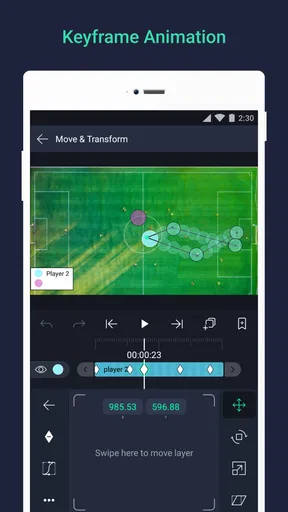
- Keyframe Animation: This feature is probably what sets Alight Motion apart. Keyframes allow for precise control over your animations. It's perfect for detailed motion graphics and animations.
As someone who loves tinkering with video projects, these features made my heart sing. The possibilities feel endless, and it truly feels like you have creative control.
My Experience: Creating a Masterpiece
So, how does all this translate into actual use? Well, I decided to put Alight Motion to the test by creating a short animation video. The process was surprisingly smooth. The app didn’t lag or crash, which is a blessing because there’s nothing more frustrating than losing your work mid-edit.
The drag-and-drop functionality for layers is intuitive. I was able to add text, images, and audio without any hiccups. The keyframe animation did take a bit of getting used to, but once I got the hang of it, I was creating animations like a pro.
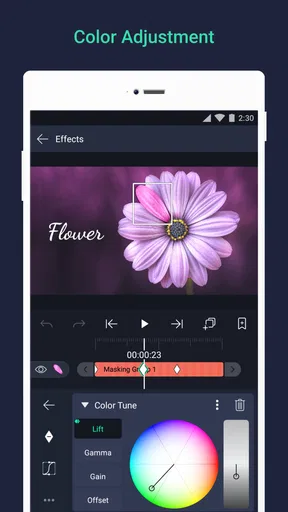
One of my favorite parts was experimenting with the effects. Adding a touch of blur here and a splash of color correction there really brought my video to life. It’s akin to sprinkling magic dust over your project.
Who is Alight Motion For?
If you're wondering whether this app is for you, I’d say it’s perfect for anyone who enjoys video editing or wants to dip their toes into animation. Whether you’re a content creator, a hobbyist, or just someone who wants to make cool videos, Alight Motion has something to offer.
However, it might feel a bit overwhelming if you’re completely new to video editing. Although the app is user-friendly, the range of features means there’s a learning curve. But hey, isn’t that part of the fun?
Final Thoughts
Overall, my experience with Alight Motion was nothing short of delightful. It combines powerful features with a user-friendly interface, making it a fantastic tool for anyone interested in motion graphics and video editing. Whether you’re creating content for social media or just for fun, this app is worth a try.
So, if you’re ready to unleash your creativity and make some jaw-dropping animations, give Alight Motion a whirl. You might just find yourself as hooked as I am!
Privacy and Permissions
See what permissions an app requests and how it handles your data.
- Photos/Media/Files
- read the contents of your USB storage, modify or delete the contents of your USB storage
- Storage
- read the contents of your USB storage, modify or delete the contents of your USB storage
- Wi-Fi connection information
- view Wi-Fi connections
- Other
- view network connections, full network access, control vibration, prevent device from sleeping, Google Play license check, read Google service configuration
Verdict
Strengths of Alight Motion
- User-friendly interface for easy editing.
- Offers a wide range of effects and transitions.
- Supports multiple layers for complex projects.
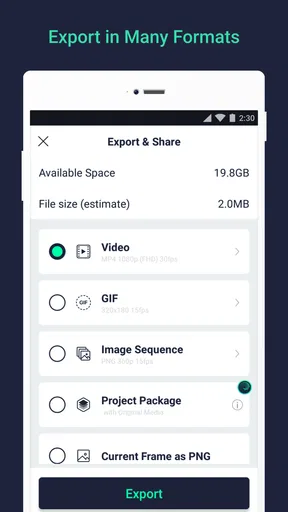
- High-quality video export with various formats.
- Regular updates with new features.
Limitations of Alight Motion
- Runs slowly on older devices.
- Limited free features without subscription.
- Occasional app crashes during rendering.
- Watermark on free version exports.
- Requires significant storage space.
Similar Picks in This Category
View All
Google TV
Google LLC3.9

iTunes
Apple4.7

YouTube
Google LLC3.8

MX Player
Amazon Mobile LLC4.2

CapCut - Video Editor
Bytedance Pte. Ltd.3.5

PLAYit-All in One Video Player
PLAYIT TECHNOLOGY PTE. LTD.4.5
You May Also Like
View All
Frequently Asked Questions
What is Alight Motion, and what features does it offer?
Alight Motion is a professional-grade motion graphics and video editing app available for Android and iOS. It offers a range of features such as multiple layers of graphics and video, vector and bitmap support, visual effects, color correction, keyframe animation, and more. It's designed for both beginners and experienced video editors looking for robust editing tools on mobile devices.
Is Alight Motion free to use, or does it require a subscription?
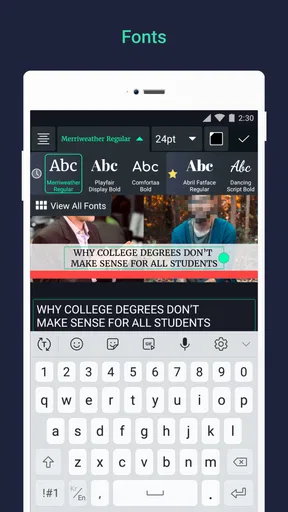
Alight Motion offers a free version with basic features, but it includes watermarks on exported videos. To unlock premium features and remove watermarks, users can opt for a subscription. Subscribing provides access to additional effects, fonts, and an enhanced editing experience. Subscription plans are available on a monthly or yearly basis.
How user-friendly is Alight Motion for beginners?
Alight Motion is designed with an intuitive interface, making it accessible for beginners. The app provides tutorials and guides to help new users get started with video editing and motion graphics. However, due to the app's extensive features, there might be a learning curve for those unfamiliar with editing software. Experimenting and practice can significantly ease the learning process.
What devices are compatible with Alight Motion?
Alight Motion is compatible with most modern Android and iOS devices. For optimal performance, it is recommended to use devices with good processing power and sufficient RAM. Users should ensure their device's operating system is updated to the latest version to avoid compatibility issues and to take full advantage of the app's features.
Can Alight Motion export projects in high quality?
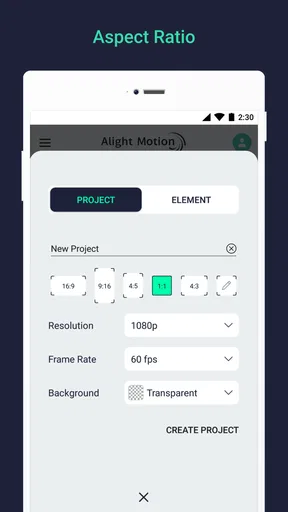
Yes, Alight Motion allows users to export projects in various resolutions and formats, including high definition (HD) and full high definition (FHD). Users can choose the desired quality settings during export to suit their needs. The export quality also depends on the device's capability, so higher-end devices may yield better results.
